The Customer Groups / Types page is used to create and manage customer classifications within the system. Customer Groups and Customer Types provide ways to organize, classify, and filter customers, as well as create different price levels throughout StoreLive.
Customer Groups
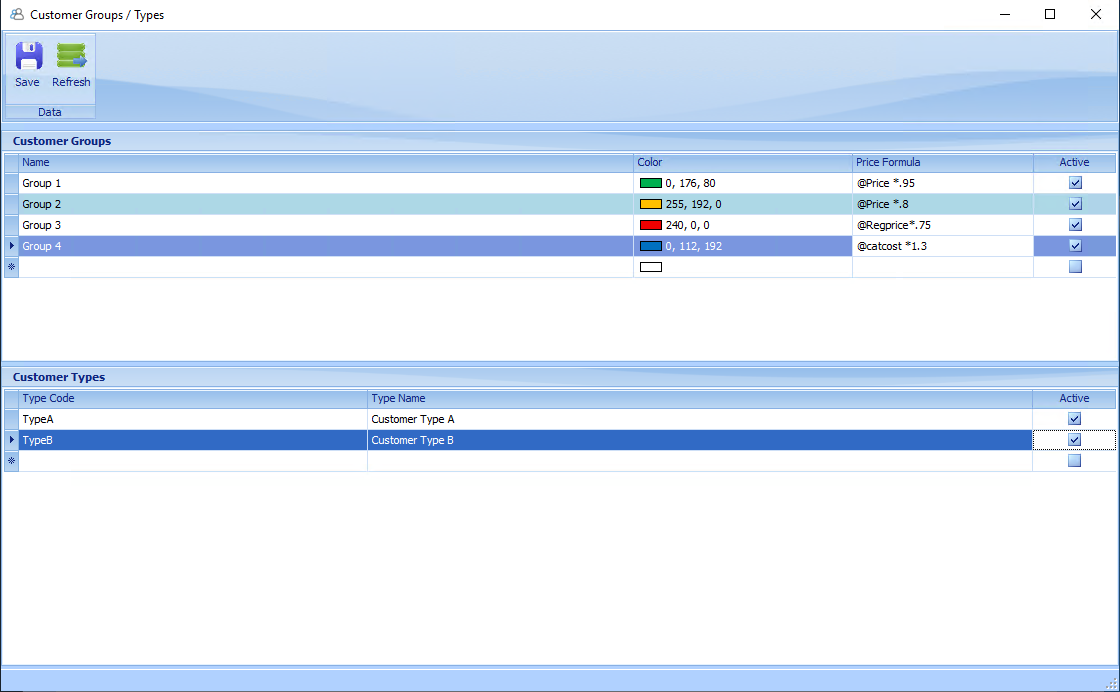
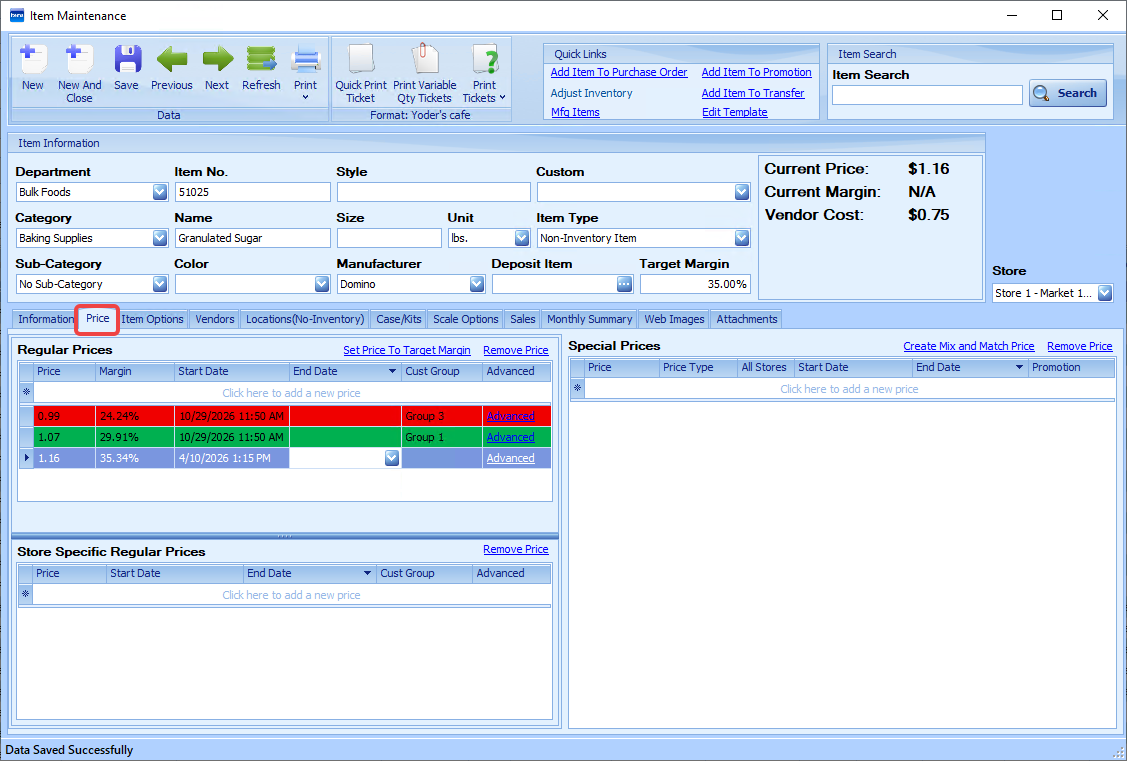
Customer Groups are used to categorize customers and optionally apply pricing adjustments and color codes. Each Customer Group can be assigned a color. The color is used throughout StoreLive to visually identify pricing associated with that group, including Customer Group prices maintained on the Price tab of Item Maintenance.
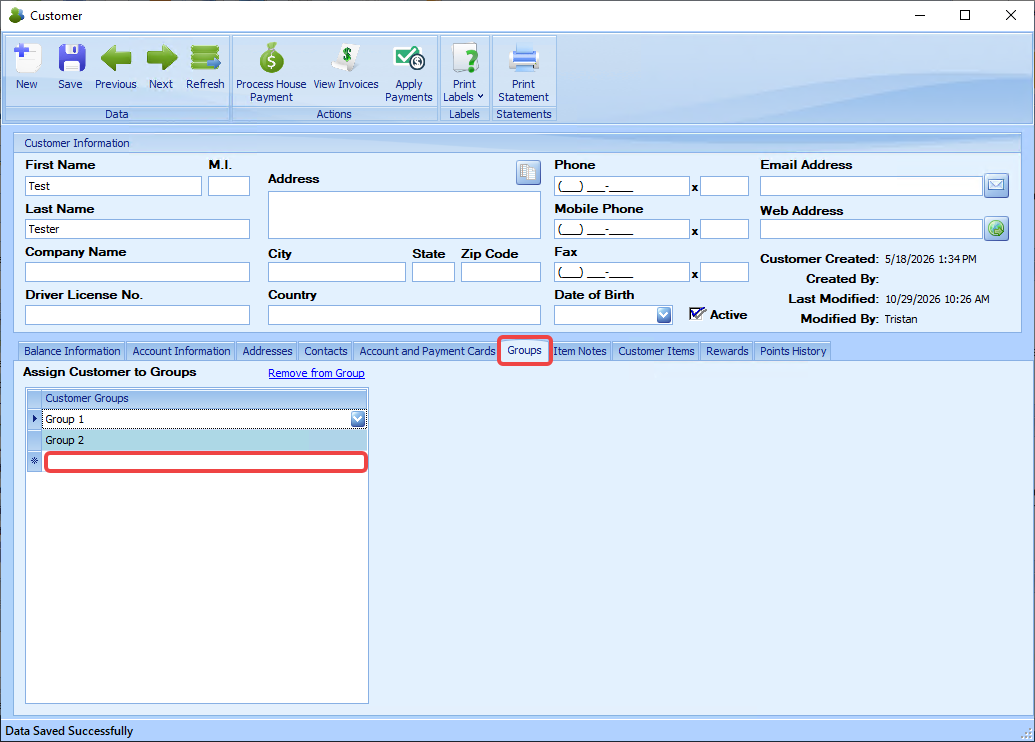
Customers can be added to groups on the Groups tab of the Customer screen. A customer can be added to multiple customer groups.
Price formulas automatically calculate customer-specific pricing on Sales Invoices for customers assigned to the group. The formulas can be based around these placeholders:
|
Placeholder |
Description |
|---|---|
|
@Price |
current active selling price |
|
@RegPrice |
regular price |
|
@CatCost |
catalog cost (lowest vendor cost) |
These placeholders can be modified using standard mathematical operators:
|
Operator |
Function |
|---|---|
|
* |
Multiply |
|
/ |
Divide |
|
+ |
Add |
|
- |
Subtract |
For example:
|
Formula |
Result |
|---|---|
|
@Price*.95 |
5% discount from current selling price |
|
@RegPrice*.8 |
20% discount from the regular price |
|
@CatCost*1.25 |
25% markup above catalog cost (Only works with Invoices) |
|
@Price-1 |
$1 discount off current selling price |
Note: StoreLIVE always sells at the lowest applicable price. Customer Group formulas cannot increase the selling price above the current active selling price. If a formula produces a higher amount, the lower selling price will be used instead.
Customer Group prices can also be set manually on the item level on the Price tab of the Item Maintenance screen. Those prices will be color coded with the color set for each group. Pro Tip: When setting a Customer Group price, always set the Group before setting the price. Otherwise, StoreLIVE will assume you are creating a new regular price and insert an end date for the current regular price, so you could be left without an active regular price unless you go back and remove that end date.
Customer Types
Customer Types provide an additional method of categorizing customers. Customer Types can be used for reporting, filtering, customer segmentation, or business-specific classifications.
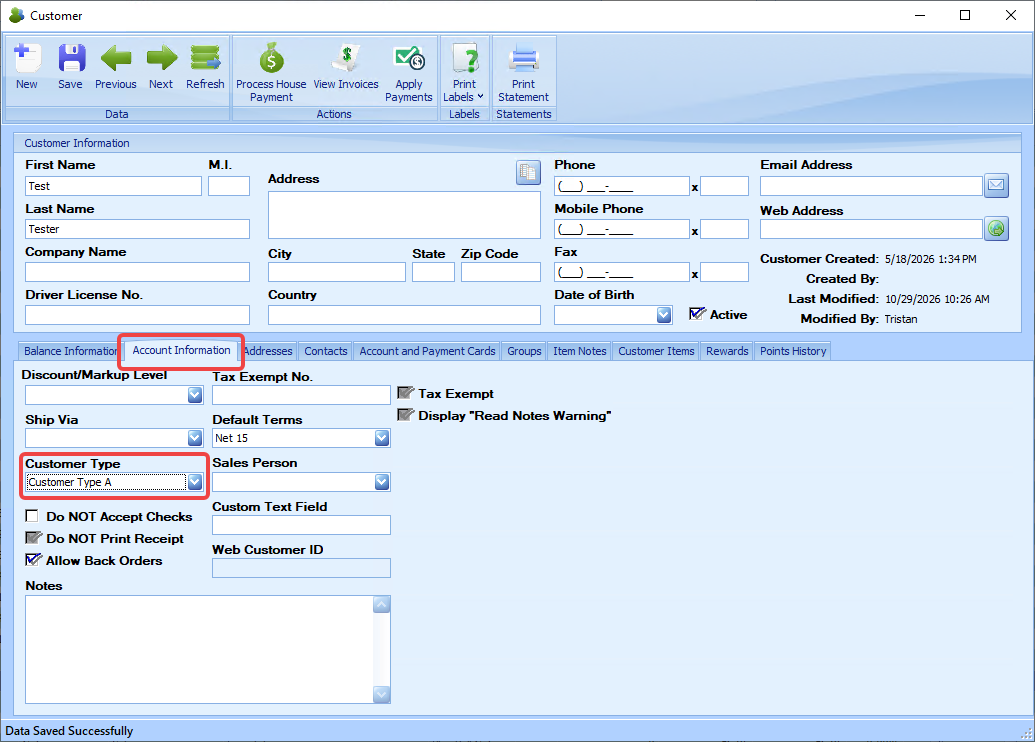
Customers can be assigned a Customer Type on the Account Information tab of the Customer screen. A customer can only be assigned to one customer type.