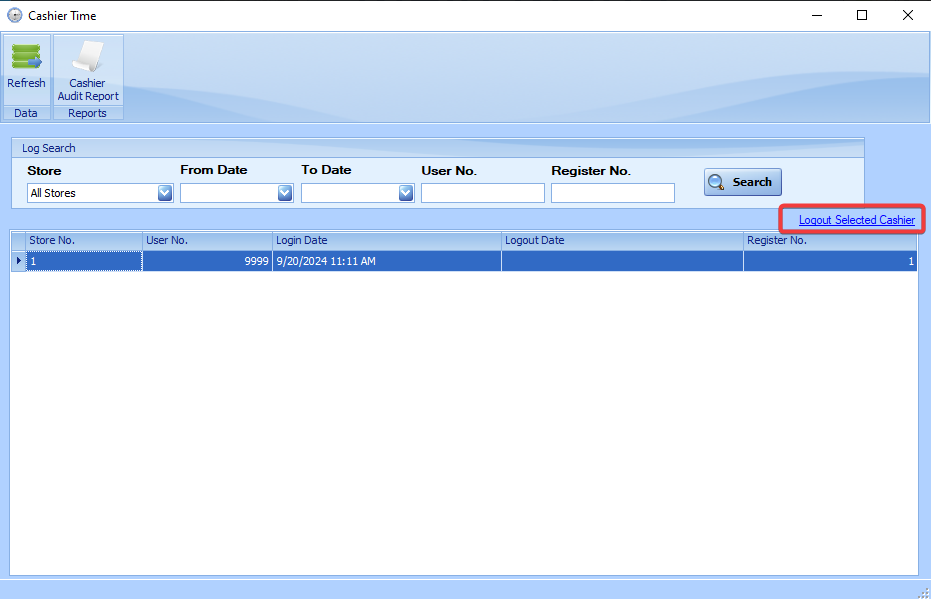
Cashier Time
A log of cashier login and logout times, as well as currently logged-in cashiers, can be viewed using the StoreLIVE! Manager Cashier Time program. This is under the “Time Menu” button on the Main Menu.
One important use of this program is to manually log out a cashier from the system if they receive the “Already Logged In” message when they attempt to log in to another register.
To manually log out a cashier, open the Cashier Time application. A list of currently logged in cashiers will appear. Click the cashier in the list that you wish to log out, and click the “Logout Selected Cashier” link. You will be prompted to set the logout date/time. After selecting the date/time, click OK, and the logout will be completed.