Manager Sessions tab
The StoreLIVE! Manager Sessions option in the Settings menu provides access to both current and historical manager login activity. When opened, it displays a list of all active manager sessions, including the login time, store number, computer name, and IP address associated with each session.
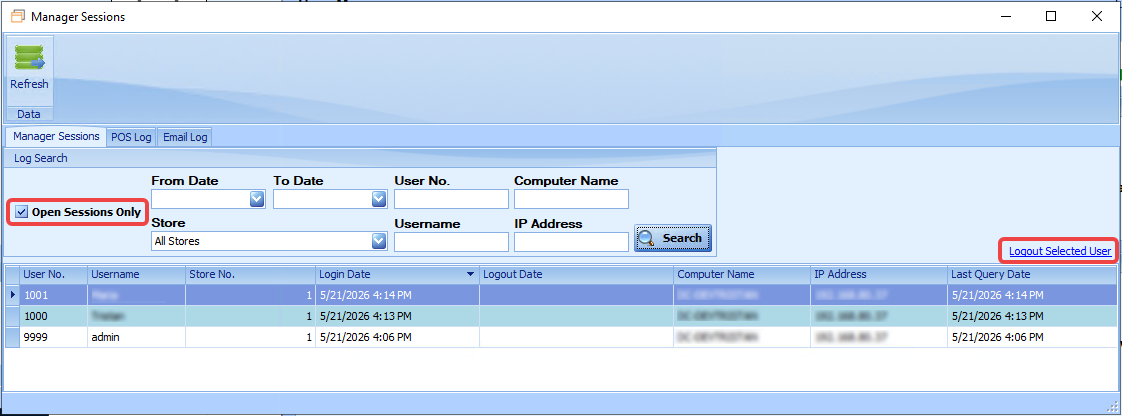
Active sessions can be terminated by selecting a session and clicking the “Logout Selected User” link on the right side of the screen.
Uncheck the Open Sessions Only checkbox to view past as well as active sessions. The results can be refined using filters such as date range, store, username, user number, computer name, and IP address.
POS Log Tab
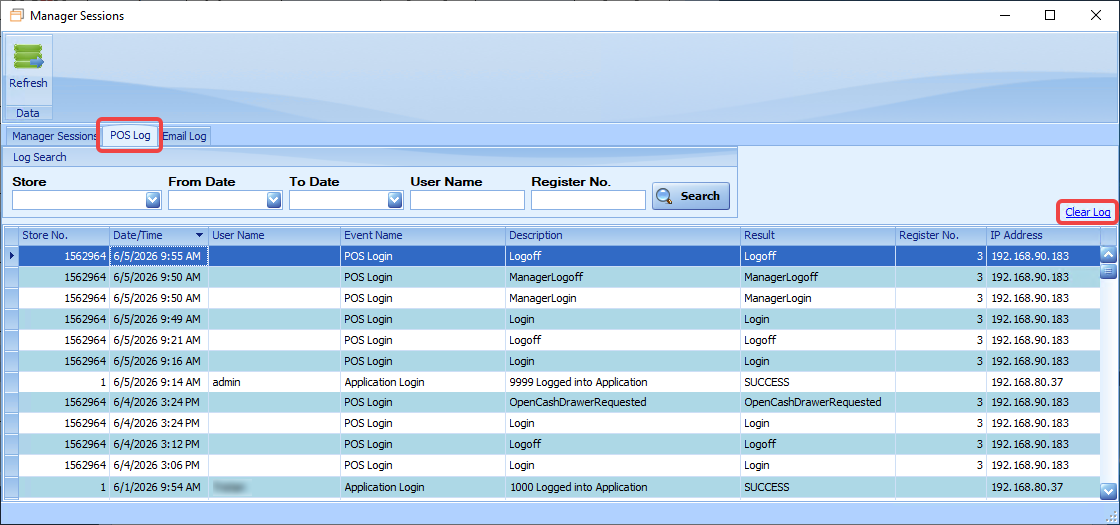
The POS Log tab displays login activity for both registers (POS) and StoreLIVE! Manager sessions. It also records a variety of system and user actions, including:
-
Failed login attempts
-
Changes to POS settings
-
Updates to user settings
-
Changes to passwords or other security settings
-
Use of the Open Cash Drawer button
This view can be filtered by store, date range, username, and register number to help locate specific activity. The Clear Log link on the right side of the screen will clear out logged events older than a year.
Email Log tab
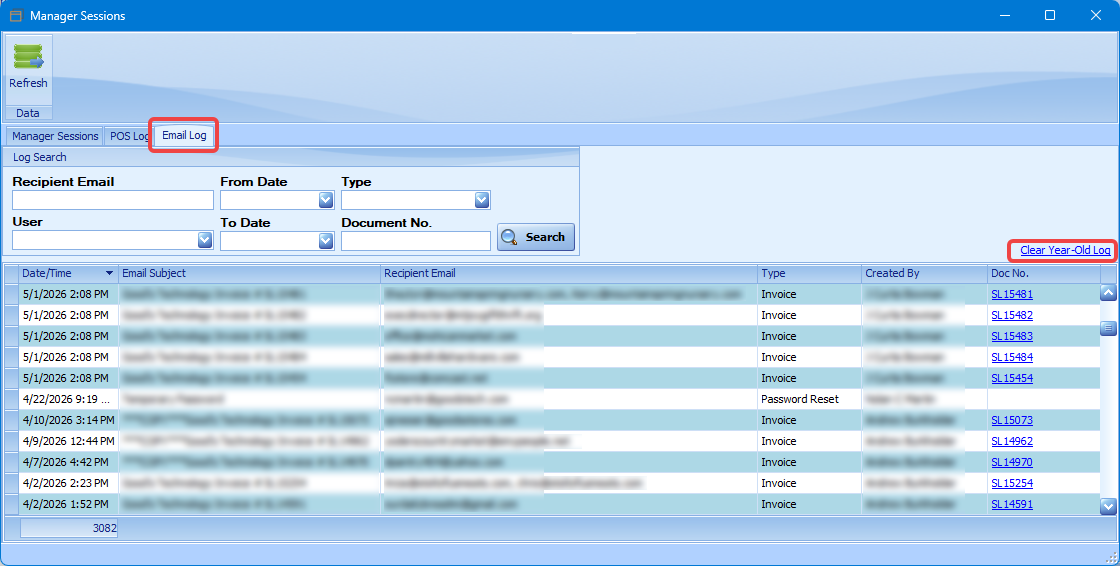
The Email Log tab shows a log of the emails sent through StoreLIVE; invoices, password resets, purchase orders, scale batches, statements, and test emails. Logged document emails include a link to that specific document in StoreLIVE. The view can be filtered by user, recipient email, date range, email type, or document number. There is also a link to clear out logged emails older than a year.