The StoreLIVE! Syste m uses a common layout for most screens that allowing editing information. These screens include New, Save, Refresh and Previous/Next features. In addition to clicking the appropriate toolbar icon, these functions can be performed by using the following keyboard commands:
Ctrl + N – New
Ctrl + S – Save
Ctrl + Left Arrow – Previous
Ctrl + Right Arrow – Next
Ctrl + R – Refresh
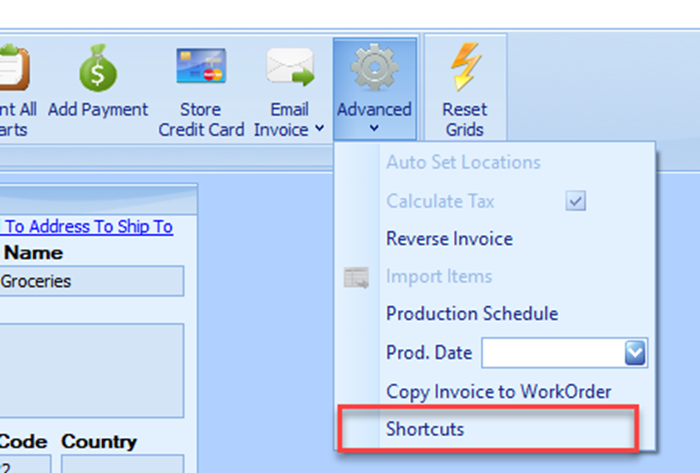
A glossary of screen specific Keyboard shortcuts can be found from the Advanced button then the Shortcuts menu option.