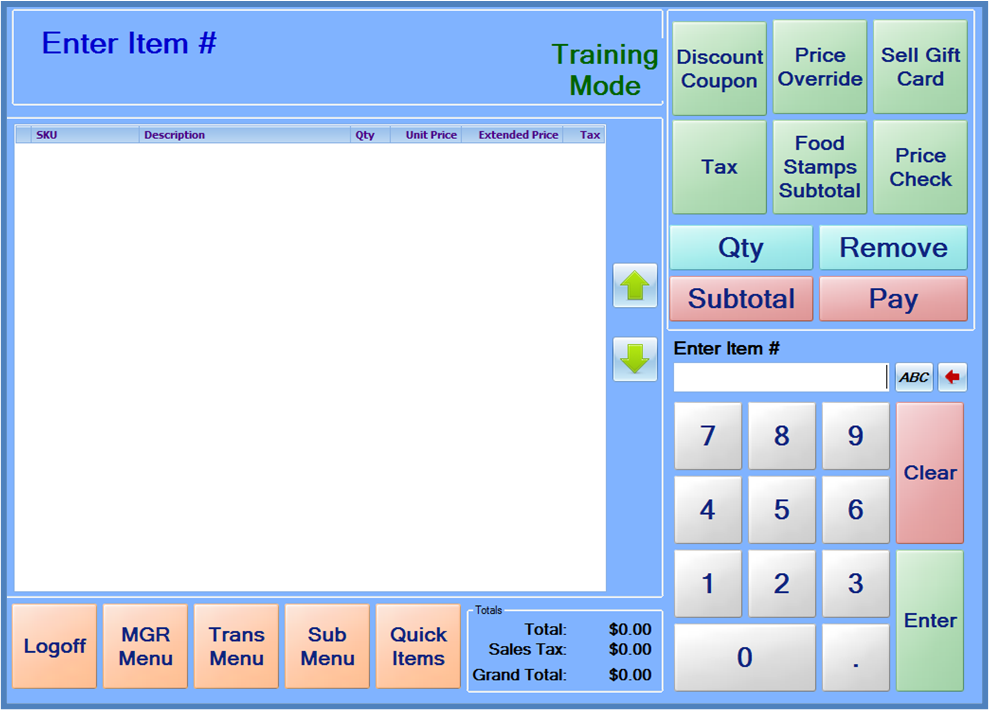
Training mode is a feature that can be utilized to train cashiers on the use of the POS system without having the system record the actual sales. To enable Training Mode, press the MGR Menu button, and press Training Mode. When the system is in training mode, “Training Mode” will be displayed in the upper right corner of the screen.
While in Training Mode, most features will operate normally. However, sales processed while in Training Mode will not appear in the POS Journal and will not be recorded along with the normal sales totals. A few features, such as credit card processing and sale suspend/resumes are not available in training mode.
To return to normal sales mode, either choose Training Mode on the MGR Menu again, or simply have the cashier logoff.
Note: Training Mode can only be enabled by a POS Manager. To train a cashier while logged in with their own privileges, have the cashier login, and then perform a Manager Login and put the system into Training Mode. Pressing the Logoff button will logoff the manager and return the system to the cashier’s login, but the POS system will remain in Training Mode.