
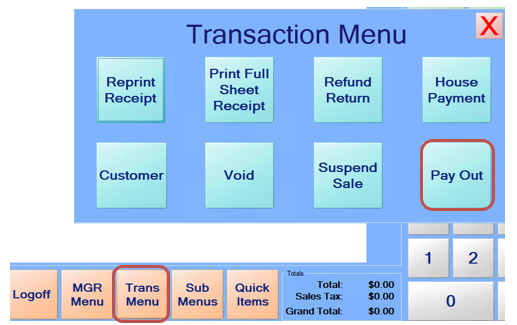
Payments can be made to a customer’s House account. Select “Trans Menu” and then the “Payout” Button.
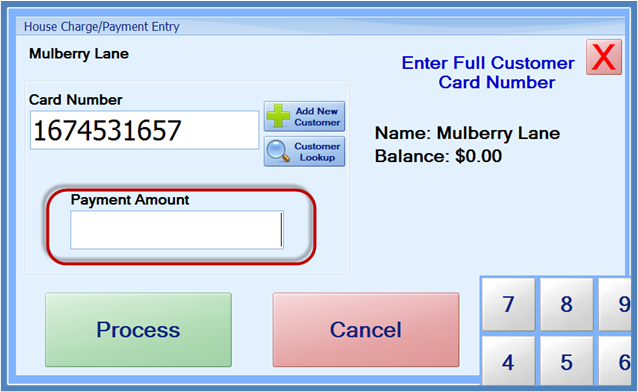
You will then be prompted to enter the customer’s card number. When you have the customer selected, you must enter the payment amount.
After doing so, you will go to the item screen. The payment will be shown in parenthesis, and you can ring up more items, or select Pay to immediately pay the amount.