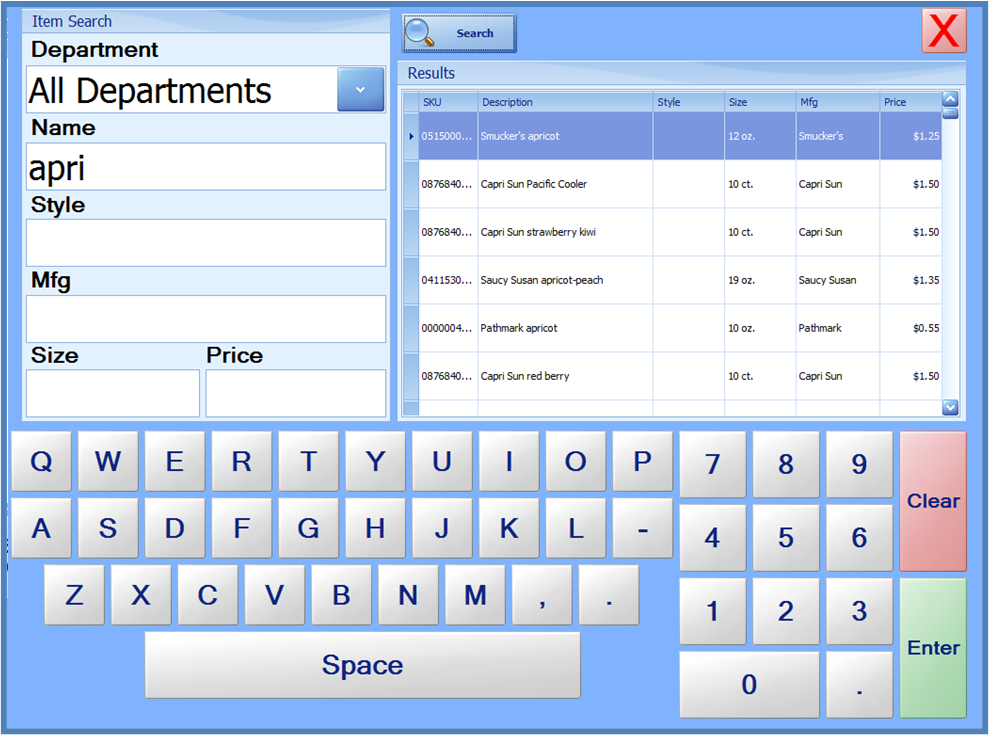
An Item Lookup feature is available on the MGR Menu. This can be used to locate and add an item to the sale when the Item Number is not known.
To use Item Lookup, press the MGR Menu button, and then press Item Lookup. When the Item Lookup screen is displayed, enter item search criteria in the Item Search box, and press the Search button. Matching results will be displayed in the Results list. To add an item to the sale, touch the line item in the results list. Pressing the red X will close the item search screen without adding an item to the sale.
Note that partial search terms can be entered, such as the first few letters of the manufacturer’s name, or a portion of the item description.