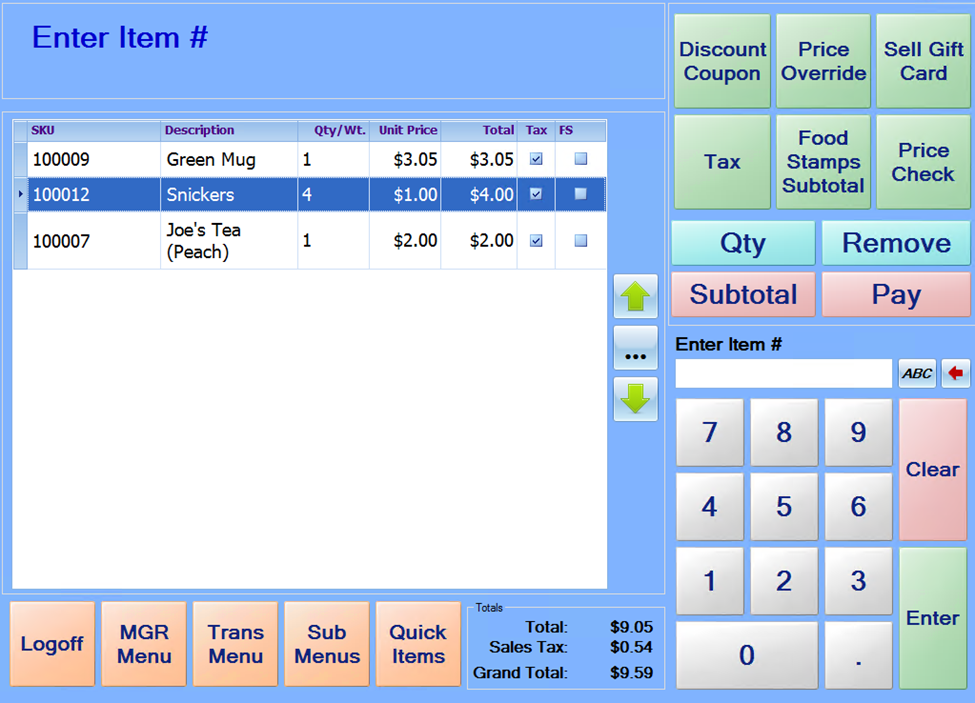
If a customer is purchasing more than 1 of the same item, sometimes it is faster to key in the quantity than to scan/enter each item individually.
To do this, first select the item for which you wish to change the quantity. Next, press the Qty key, enter the quantity using the on-screen numeric key pad, and then press Enter. The Qty field in the item list should update to show the entered quantity number.
Alternatively, Press the numeric item on the keypad then press the Qty key then scan the item.