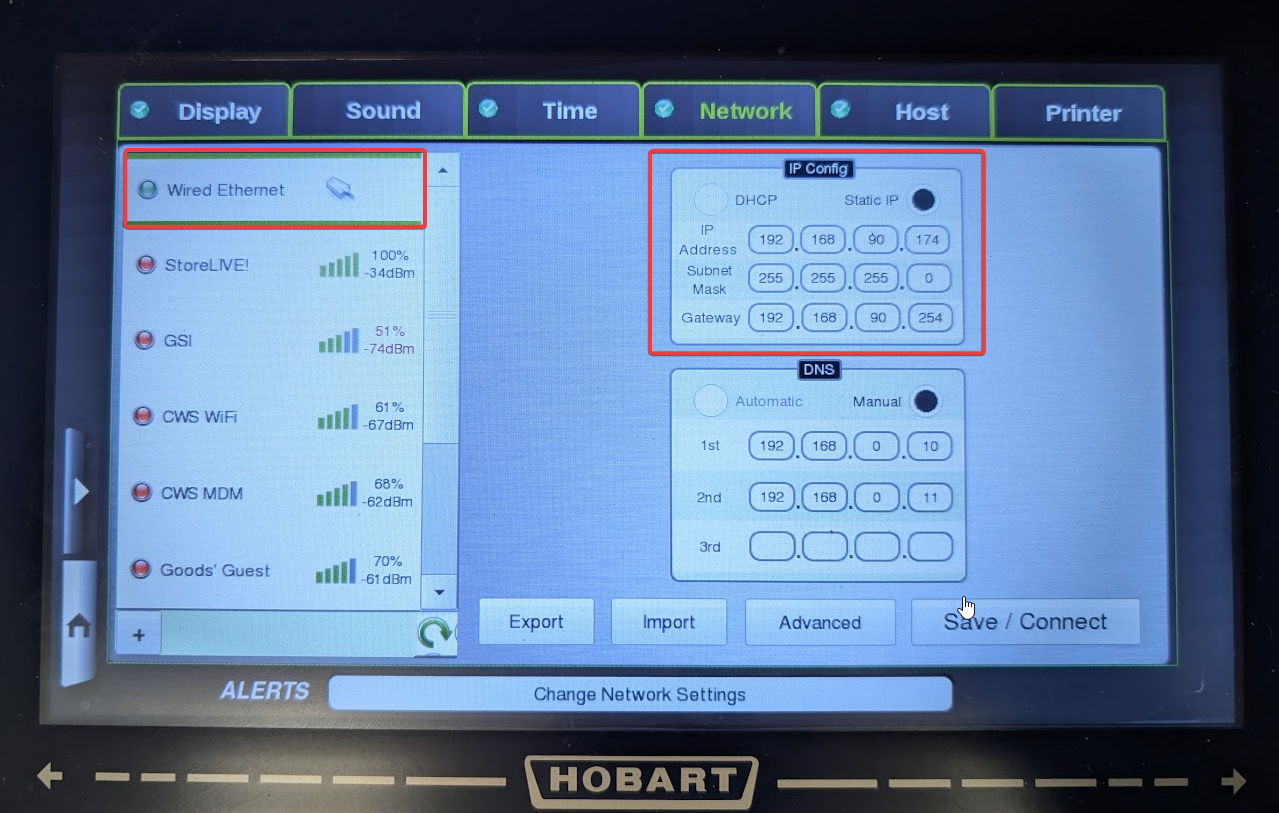
Here are direction on how to set the the IP address on a Hobart HT series scale. Ideally this would be set by the Hobart technician when the scale is installed.
-
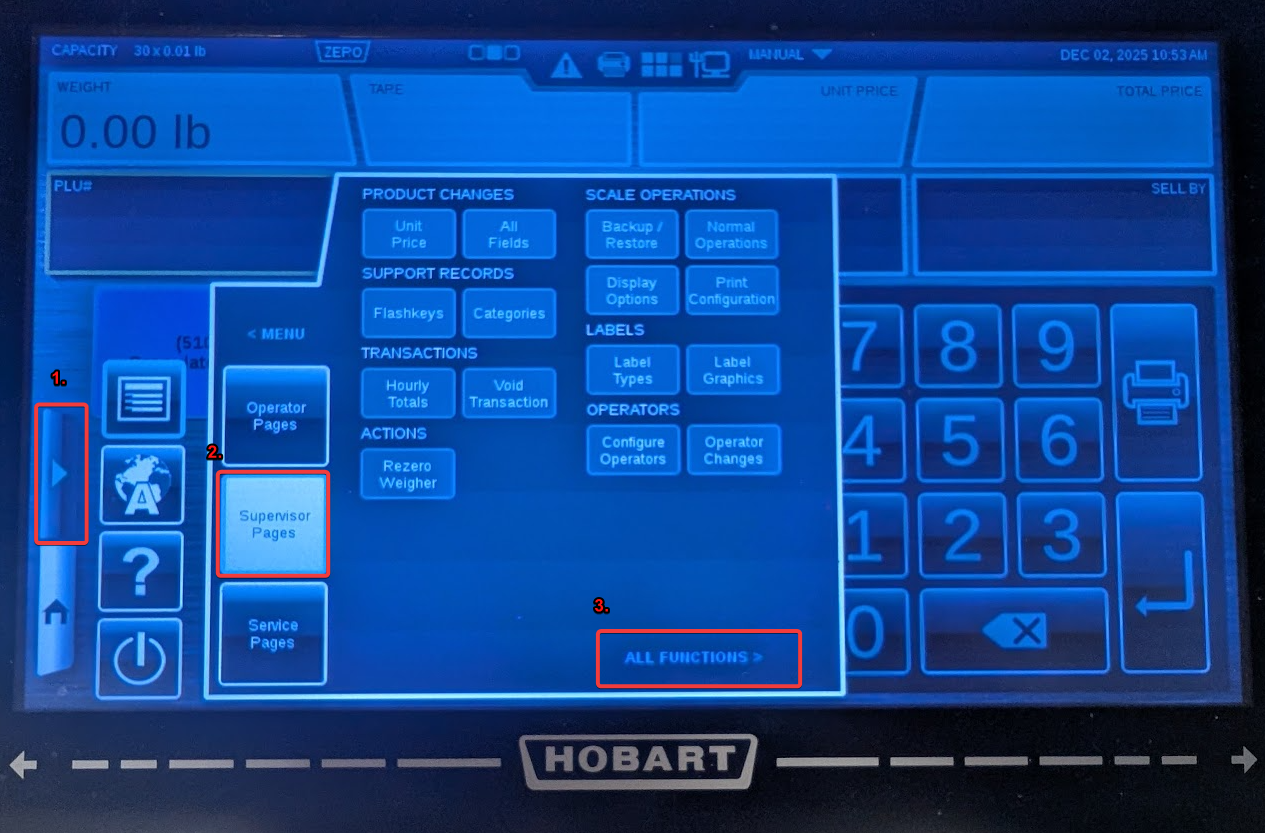
Open the menu
-
Tap Supervisor Pages
-
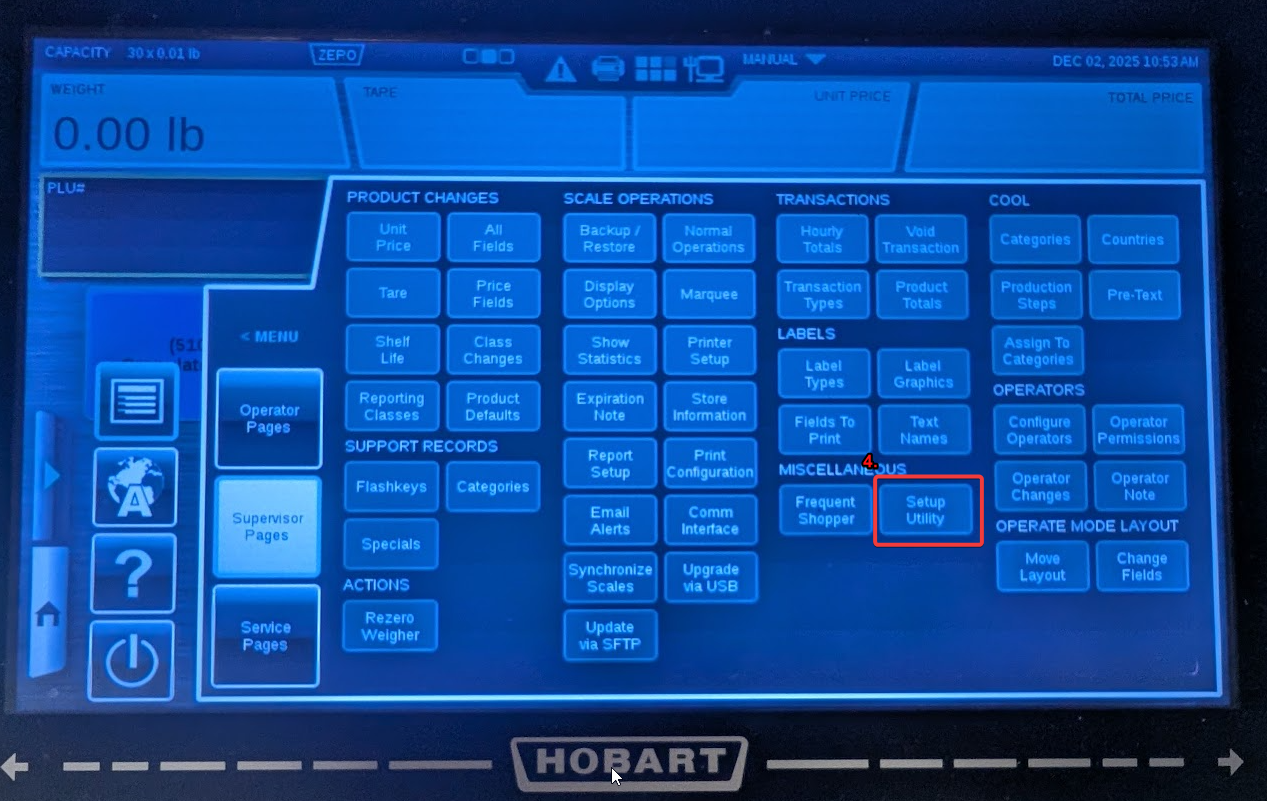
All Functions
-
Setup Utility
-
Select the network tab
-
Sometimes the Network tab is not available. A Hobart Technician Service key is required to enable this. Enable Hobart Network Access
-
-
Select the network being used. This is generally Wired Ethernet but could be a Wireless network.
-
Select the Static IP option
The following information should be obtained from your local IT provider who manages your network. -
Enter the appropriate information.
-
IP Address (Make sure the IP address is not used by another device and outside the DHCP range)
-
Subnet Mask (Often 255.255.255.0)
-
Gateway (Often the router address. This can be obtained by running CMD/ipconfig on a computer)
-
-
DNS is optional