
StoreLIVE! has a scheduled task on the server computer to create a backup of the the StoreLIVE! database every night. This database contains all the data in StoreLIVE! and can be used to quickly restore StoreLIVE! to the point in time of the last backup. These backups should be verified periodically to make sure they are being created and are backed up off site. Without an off-site backup, a system failure will result in permanent data loss.
How to Verify Backups
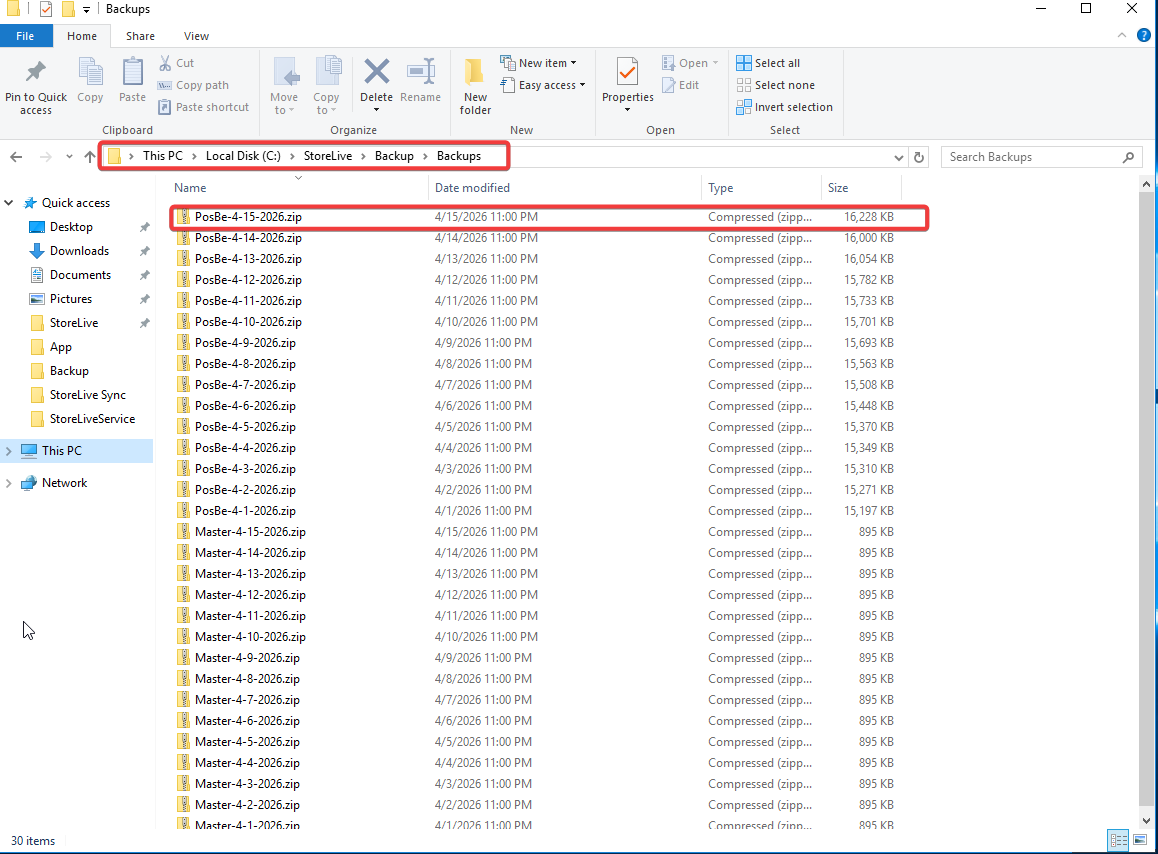
Backups are normally created in C:\StoreLive\Backup\Backups. Check this folder for a PosBe file with a recent date. Verify the off-site backup also contains recent files.
It is the store's responsibility to ensure these files are backed up off site. Without an off-site backup, a system failure will result in permanent data loss.